Ashik Al Azad, I'm a Web Designer, Web Developer, WordPress Designer, WordPress Developer, E-commerce Expert.;

Best practice for writing code comments.

1.  Writing code comments is an important part of software development as it helps to make the code more readable, understandable, and maintainable. Here are some best practices for writing code comments:

2. Be concise: Write clear, concise comments that explain what the code does. Avoid writing lengthy explanations or repeating what the code already conveys.

3. Be descriptive: Use descriptive language in your comments. Explain why the code does what it does, and what it’s intended to achieve.

4. Be consistent: Use a consistent style for writing comments, including a consistent indentation, style for denoting comments, and use of blank lines to separate comments from the code.

5. Document APIs: If you’re writing code that will be used by other developers, document the API, including the function or method names, parameters, and return values.

6. Document edge cases: If your code handles edge cases, such as exceptions or error conditions, document those cases in the comments.

7. Document assumptions: If your code makes assumptions about the input data or state, document those assumptions in the comments.

8. Avoid comments that don’t add value: Avoid writing comments that don’t add value, such as comments that simply repeat what the code already conveys or that describe the code in a trivial way.

9. By following these best practices, you can help make your code more readable, understandable, and maintainable, and ensure that others can more easily understand and work with your code.

Ashik Al Azad, I'm a Web Designer, Web Developer, WordPress Designer, WordPress Developer, E-commerce Expert.;

Why PHP Is Important for Web Development?

1. PHP (Hypertext Preprocessor) is an important programming language for web development for several reasons:

2. Widely used: PHP is one of the most widely used programming languages for web development, and is supported by a large community of developers. This means that there is a wealth of resources, libraries, and tools available for working with PHP.

3. Server-side scripting: PHP is a server-side scripting language, which means that it runs on the web server and generates dynamic content that can be displayed in a user’s web browser. This allows developers to create dynamic, interactive websites that can respond to user inputs and requests.

4. Easy to learn: PHP is relatively easy to learn, especially for those with experience in other programming languages. The syntax is similar to other popular programming languages, and there is a large amount of documentation and tutorials available online.

5. Integration with databases: PHP can be easily integrated with databases, such as MySQL, making it possible to create dynamic websites that can store and retrieve information from databases.

6. Cost-effective: PHP is open-source software, which means that it’s free to use and can be easily modified and customized. This makes it a cost-effective solution for web development, especially for small businesses and organizations.

7. Overall, PHP is an important programming language for web development because of its wide usage, ease of use, integration with databases, and cost-effectiveness.

Ashik Al Azad, I'm a Web Designer, Web Developer, WordPress Designer, WordPress Developer, E-commerce Expert.;

Digital Marketing to Their New Office.

1. Digital marketing is a fast-paced and constantly evolving field, and moving to a new office can be a significant change for any digital marketing team. Here are a few things to keep in mind when transitioning to a new office:

2. Plan ahead: Make sure to plan the move well in advance, so that you can ensure that the transition is as smooth and stress-free as possible. This includes determining the timeline, budget, and resources needed for the move.

3. Update your contact information: Make sure to update your contact information, such as your website and social media profiles, to reflect your new office address. This will ensure that clients, customers, and partners can reach you easily.

4. Update your team: Make sure to keep your team informed about the move and what to expect. This includes ensuring that everyone is aware of the timeline, what will be expected of them, and how the move will affect their work.

5. Update your technology: Make sure to update your technology and equipment, such as computers, servers, and internet connectivity, to ensure that your digital marketing team is equipped to work effectively in the new office.

6. Establish a culture: Establishing a positive and productive culture in your new office is key to ensuring that your digital marketing team is motivated and productive. This includes promoting a positive and supportive work environment, providing the resources and support needed to help your team succeed, and encouraging collaboration and teamwork.

7. By following these tips, you can ensure that your digital marketing team is well-prepared for their new office. And that they are able to continue delivering high-quality work and results.

Ashik Al Azad, I'm a Web Designer, Web Developer, WordPress Designer, WordPress Developer, E-commerce Expert.;

9 Best Front-End Posting Plugins for WordPress (2023).

1. Formidable Forms: Formidable Forms is another important form builder plugin for WordPress that you can use to allow frontal-end advertisement.
It offers a stoner-submitted posts and runners feature that allows frontal-end publishing. Your callers can produce new posts using the plugin, and they don’t bear admin access. This way, you can gather community content, guest posts, coffers, databases, rosters, and other stoner-generated content.
Redoubtable Forms also offer a train upload point that lets druggies submit different lines without the need to log in to the admin area.
When a stoner submits a train using the form, it’s automatically stored in your WordPress media library. From then, you can fluently browse, view, and sludge different sessions.
With Redoubtable Forms, you can also produce advanced forms, like mortgage calculators, payment forms, quote calculators, checks, and more. The plugin offers a drag-and-drop form builder, pre-built templates, and important integrations.

2. Easy Digital Downloads: Easy Digital Downloads(EDD) is one of the stylish eCommerce plugins for WordPress. You can use it to vend digital products like e-books, music, PDFs, spreadsheets, fashions, software, and more.
Easy Digital Downloads offers a frontend cessions extension that lets you produce websites that work like Amazon, Airbnb, and eBay.
The EDD extension allows you to produce a multivendor business where druggies can register as merchandisers from the frontal end, and also they can use your point to upload and vend digital products.
Druggies can produce new products, update products, access earning details, communicate with guests, and more from the frontal end.
Besides that, you can use Easy Digital Downloads to track and record seller commissions, review new seller enrollments, and get dispatch announcements when a seller adds a new product.
The stylish part is that you get a drag-and-drop form builder to produce forms for seller enrollment, product submission, and seller biographies.
On top of that, EDD also integrates with payment services like PayPal and Stripe. You can connect the plugin with dispatch marketing tools and other third-party software.

3. WP Forms: WP Forms is the stylish WordPress form builder plugin in the request, used by over 5 million websites. It offers a drag-and-drop interface that you can use to produce any type of form.
They have a post-submission add-on that lets you collect stoner-generated content without creating an account. Your callers can fluently submit content on the frontal end. Plus, you can accept payments for a post submission, like property rosters or business directories.
WP Forms also gives you full control over which content to accept, and how you’d like to admit it. For illustration, you can collude certain fields in your form to a new WordPress post similar to Post Title, Content, and Featured Image.
You can also produce a train upload form to collect stoner-generated content. It comes with a train upload form field that lets people submit guest posts, upload images, share donations and documents, and more.
Besides that, WP Forms offers other important features similar as spam protection, tentative sense, from abandonment, online autographs, locking specific forms, tracking stoner peregrinations, and more.
WP Forms also fluently integrates with payment services like PayPal, dispatch marketing tools like Constant Contact, and other third-party tools like Zapier, Google Wastes, and Uncanny Automaton.

4. Thrive Ovation: Thrive Ovation is a popular epitaxial plugin for WordPress. You can use the plugin to collect stoner-generated content in the form of witnesses.
Witnesses are incredibly important for driving deals and getting new druggies, and this plugin makes it super easy to gather reviews and feedback from guests.
It has an autopilot point that automates the process of asking for feedback from guests.
Besides that, you can use Thrive Ovation to convert WordPress commentary into witnesses with a single click. It also helps convert social media commentary into witnesses for your website.
The plugin offers an epitaxial library where you can fluently manage stoner-submitted content, WordPress commentary, and other imported feedback from your WordPress dashboard.

5. Member Press: Member Press is a stylish class plugin for WordPress that’s super easy to use. You can produce unlimited decoration enrollments and circumscribe access to runners, content, and lines for subscribers only.
Using Member Press, you can produce a class point to get stoner-generated content. For a case, you can set up members-only associations like Young Entrepreneur Council. This way, decoration members submit guest posts for the point itself. In addition, they can get access to forum conversations, share other content, and more.
Member Press offers a train upload option that you can show in the account area. This way, subscribers can partake in different content on your class point.
The plugin also offers important content restrictions and access controls. You can lock ultra-expensive forums and upload content for members only. Other than that, Member Press fluently integrates with different payment providers, dispatch services, WordPress plugins, and third-party tools.

6. WP User Front-end: WP User Front-end is a flexible and freshman-friendly WordPress plugin for accepting frontal-end cessions.
The plugin comes with a drag-and-drop form builder and offers multiple customization options. You can place the form anywhere on your point to allow druggies to produce a new post and submit guest posts, images, and other content.
It also lets druggies edit their biographies from the frontal end. This is great as you don’t have to give access to the main dashboard for druggies to set up a profile.
Besides that, you can use the WP Stoner Front-end plugin to produce subscriptions and class packs. It lets you add pay-per-post, manage deals, and fluently admit payments.

7. WordPress File Upload: WordPress File Upload is the coming free front-end posting plugin on our list. It allows druggies to submit content from any runner, post, or sidebar on your WordPress point.
You can simply use a short code to add a file upload form to your website or use the sidebar contrivance. The plugin also lets you manage the uploaded content from your WordPress dashboard. The uploaded lines can be added to the media library or stored in an FTP position.
Besides that, you can set up train upload pollutants for multiple WordPress stoner places, add train size limits, and control which train extensions druggies can upload.
WordPress train Upload also offers different customization options and lets you show an upload progress bar. Still, if you’re looking for further options to edit your forms, also you can use other plugins on our list, like WP Forms and Redoubtable Forms.

8. Access Press Anonymous Post: Access Press Anonymous Post is another free WordPress plugin you can use to accept guest posts and allow frontal-end advertisement. It offers a responsive form that’s easy to customize and place anywhere on your website.
Druggies can simply use the form to upload content, add a title, and enter markers, orders, URLs, images, and more. All the submitted content is stored in the WordPress database, and you can pierce it from your dashboard.
Besides that, you can also add a captcha for verification, admit emails when someone uploads a train, and make different form fields needed.

9. User Submitted Posts: User Submitted Posts is a simple and free WordPress plugin that you can use to allow train upload on the frontal end of your website.
It’s a great result to accept guest posts, client reviews, witnesses, images, and other stoner-generated content. The plugin offers introductory form fields like name, dispatch, URL, post title, content, post order, post images, and agree to terms.
You can display the front-end posting form anywhere on your point using a short code. The Stoner Submitted Posts plugin also offers a login and enrollment form, so druggies can produce a profile without taking access to your point’s dashboard.
That said, the plugin doesn’t offer a lot of customization options, form templates, and features to control train upload compared to other plugins like WP Forms.


Ashik Al Azad, I'm a Web Designer, Web Developer, WordPress Designer, WordPress Developer, E-commerce Expert.;

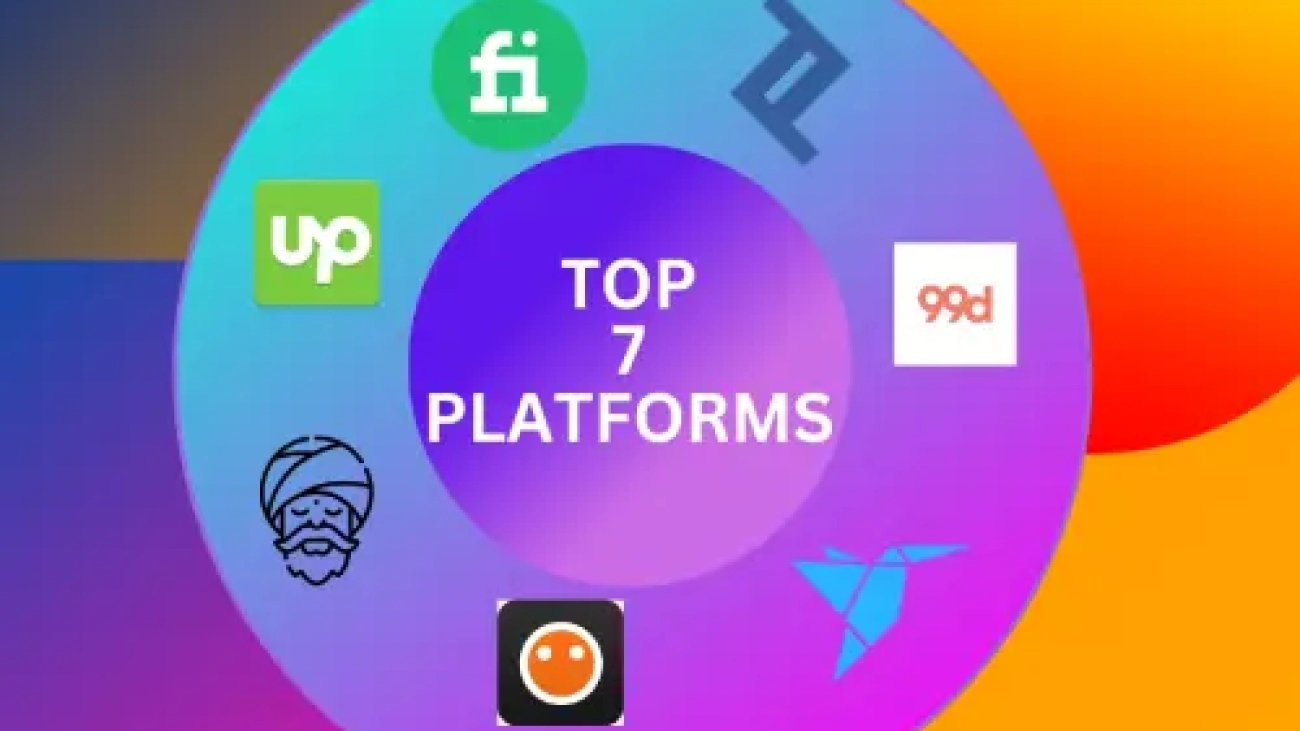
Career Tips are the top 7 platforms for freelancers.

1. Upwork: Upwork is one of the largest freelance platforms, with over 12 million freelancers and further than 5 million clients. It offers a wide range of job orders and has tools to help freelancers find work and manage their systems.

2. Freelancer.com: Freelancer.com is a global business for freelancers that allows businesses to connect with professed professionals in a wide range of fields. It offers over 1000 different job orders and has over 32 million registered users.

3. Fiverr: Fiverr is a freelance platform that specializes in offering digital services similar to web design, web development, graphic design, videotape editing, and content jotting. It’s known for its” gig” system, allowing freelancers to provide services for as little as $5.

4. Toptal: Toptal is a platform that connects freelancers with guests in software development, design, and finance diligence. It’s known for its rigorous webbing process, which ensures that only the top 3% of freelancers are accepted onto the platform.

5. Guru: Guru is a platform that offers freelance openings in fields similar to web development, design, jotting, and marketing. It has over 3 million members and has eased over $250 million in payments to freelancers.

6. PeoplePerHour: PeoplePerHour is a UK- grounded platform that offers freelance openings in a range of fields, including design, jotting, marketing, and programming. It allows freelancers to set their rates and has over 2 million registered users.

7. 99designs: 99designs is a freelance platform that specializes in graphic design services. Guests can launch contests and admit multiple design sessions, allowing them to choose the stylish design for their requirements. It has over 1 million registered contrivers and has eased over $310 million in payments to freelancers.

Ashik Al Azad, I'm a Web Designer, Web Developer, WordPress Designer, WordPress Developer, E-commerce Expert.;

Career Tips for Remote Workers They’re 13 websites to find remote/ freelance jobs fluently in 2023.

1. Fiverr Freelancers (Buyer and Seller): https://www.fiverr.com/
Fiverr connects businesses with freelancers offering digital services in 500+ orders.

2. Upwork: https://www.upwork.com/
Upwork connects businesses with independent professionals & agencies all over the world.

3. LinkedIn: https://lnkd.in/dRbmrHrq
253,000+ Remote Jobs in the United States (26,979 new)

4. Remotive: https://remote.co/
Is a definitive remote work job board for online job campaigners and companies hiring. Start your remote job hunt then!

5. Dribble: https://lnkd.in/dQQZeSNN
Discover 1500plus Remote Jobs designs on the Dribble.

6. Freelancer.com: https://www.freelancer.in/
Find & hire top freelancers, web inventors & contrivers inexpensively. World’s largest business of 60 m.

7. Indeed.com: https://in.indeed.com/m/
With Indeed, you can search for millions of jobs online to find the coming step in your career.

8. FlexJobs: https://www.flexjobs.com/
The# 1 job hunt point for hand-screened flexible and remote jobs(work-from-home jobs) since 2007.

9. Outsourcely: https://lnkd.in/dz9xsy4N
Outsourced connects startups and businesses with talented remote workers from around the world. (400000+ Remote Workers & 50000+ Companies).

10. Working Nomads: https://lnkd.in/dtcQjtvc
Remote jobs for digital working gadabouts. Start your telecommuting career and work ever from home.

11. Deskworks: https://odeskwork.com/
“Work at o Desk Work” o Desk Work is an online gate & that provides freelancer services both for design nimrods and design providers.

12. ProBlogger: https://lnkd.in/deUqdCPx
Discover 100+ Remote jobs in multiple fields.

13. Toptal: https://www.toptal.com/
Toptal is a platform that connects freelancers with clients. It’s known for its rigorous webbing process, which ensures that only the top 3% of freelancers are accepted onto the platform.

Ashik Al Azad, I'm a Web Designer, Web Developer, WordPress Designer, WordPress Developer, E-commerce Expert.;

Why a website is as essential for businesses in the digital age as it is?

1. A website is essential for businesses in the digital age as it provides an online presence, established credibility, and facilitates online sales. It can generate leads and improve customer service and visibility on a search engine, all of which can contribute to revenue growth. By leveraging its tools and features, businesses can grow and succeed.

2. Yes, having a website is crucial for businesses in today’s digital age. A website can serve as the face of the business online and provide a platform for customers to interact with the brand. It can establish credibility for the business, especially if it is well-designed and user-friendly.

3. A website can also facilitate online sales, which is becoming increasingly important as more people are shopping online. By offering products or services online, businesses can expand their reach and generate revenue 24/7.

4. Moreover, a website can be a powerful lead-generation tool. By including lead capture forms, businesses can collect customer information and follow up with them later to convert them into paying customers.

5. Additionally, a website can improve customer service by providing a platform for customers to get in touch with the business, ask questions, and provide feedback. This can help businesses improve their products or services and build stronger relationships with their customers.

6. Finally, having a website can improve a business’s visibility on search engines. By optimizing the website for search engines, businesses can improve their rankings and increase their chances of being found by potential customers.

7. A website can be a powerful tool for businesses to grow and succeed in the digital age. By leveraging its tools and features, businesses can expand their reach, generate leads, improve customer service, and increase revenue.

Ashik Al Azad, I'm a Web Designer, Web Developer, WordPress Designer, WordPress Developer, E-commerce Expert.;

Mastering the Art of Stunning WordPress Website Design!

➤ Mastering the Art of Stunning WordPress Website Design!
In the fast-paced digital world, a stunning WordPress website design is your gateway to online success. Crafting a visually appealing and user-friendly website can set you apart from the competition, attract more visitors, and convert them into loyal customers. Let’s delve into the secrets of creating a remarkable WordPress website design that captivates your audience.

✴️ Understanding the Foundations of WordPress Website Design.
➤ To achieve excellence in WordPress website design, you must first understand its fundamental elements. These elements are essential to provide a seamless user experience, high functionality, and aesthetic appeal.

1. Responsive Design
In the era of mobile dominance, a responsive design is non-negotiable. Your website should adapt to various screen sizes and devices, ensuring that every visitor has a smooth experience, whether they’re on a desktop, tablet, or smartphone.

2. Intuitive Navigation
User-friendliness is paramount. A well-structured navigation menu simplifies the user journey, making it easy for visitors to find the information they seek. Intuitive navigation enhances user satisfaction and reduces bounce rates.

3. Visual Appeal
An aesthetically pleasing design is your first impression. Choose a visually captivating theme, color scheme, and fonts that resonate with your brand identity. High-quality images and graphics also play a crucial role in creating a visually appealing website.

✴️ Leveraging SEO for WordPress Website Design.
➤ To outrank competitors, your stunning WordPress website design must be search engine optimized. Incorporating SEO strategies is essential to ensure your website appears prominently in search engine results.

1. Keyword Optimization
Identify and target relevant keywords in your content, meta tags, and descriptions. Use tools like Google Keyword Planner to find high-impact keywords that align with your business.

2. Content Quality
High-quality, engaging content is king. Craft informative, valuable, and keyword-rich content that not only captivates your audience but also ranks well on search engines.

3. Page Loading Speed
Faster-loading pages enhance user experience and improve SEO rankings. Optimize your images, leverage browser caching, and utilize content delivery networks to boost your site’s loading speed.

✴️ Engaging with the Audience.
➤ Creating a stunning WordPress website design is not just about aesthetics; it’s about engaging with your audience effectively.

1. Call to Action (CTA)
Strategically place CTAs throughout your website to guide visitors toward desired actions. Whether it’s signing up for a newsletter, making a purchase, or contacting you, compelling CTAs can significantly boost conversion rates.

2. Blogging
Maintaining a blog on your website keeps your content fresh and relevant. It also provides opportunities for keyword-rich content and allows you to establish your authority in your niche.

3. Social Media Integration
Incorporate social networking icons and live content streams to foster interaction and promotion. Social signals can positively impact your SEO rankings.

✴️ Monitoring and Optimization.
➤ The digital landscape is ever-evolving, and your WordPress website design should be adaptable. Regularly monitor your website’s performance using tools like Google Analytics and make necessary optimizations.

1. Regular Updates
Ensure that you consistently maintain the latest versions of your WordPress core, themes, and plugins. Outdated components can pose security risks and negatively impact performance.

2. A/B Testing
Experiment with different design elements, CTAs, and content to determine what resonates best with your audience. A/B testing helps fine-tune your website for maximum effectiveness.

3. Security Measures
Employ strong security protocols to safeguard your website against potential threats. Install security plugins, use SSL certificates, and back up your website regularly.

In conclusion, a stunning WordPress website design is a multifaceted endeavor that blends aesthetics, SEO, engagement, and adaptability. By mastering these elements, you can create a website that not only ranks higher than your competitors but also leaves a lasting impression on your audience. Embrace the secrets of WordPress website design, and watch your online presence soar.